
BusyBee is a Kanboard plugin that adds one-click questions about your projects, tasks, and subtasks, such as “What’s being worked on?”, “What is late?”, “What is blocked?” to the top of Kanboard’s dashboard pages.
Clients, stakeholders, and executives often ask the same questions every week and shouldn’t have to build a filter to get an answer. With BusyBee, every question is a button (with a current count), and clicking it opens the answer.
If SortaFolders, a plugin that sorts projects into folders, is installed, the same question buttons also show at the top of its My folders page.
Quick questions, quick answers
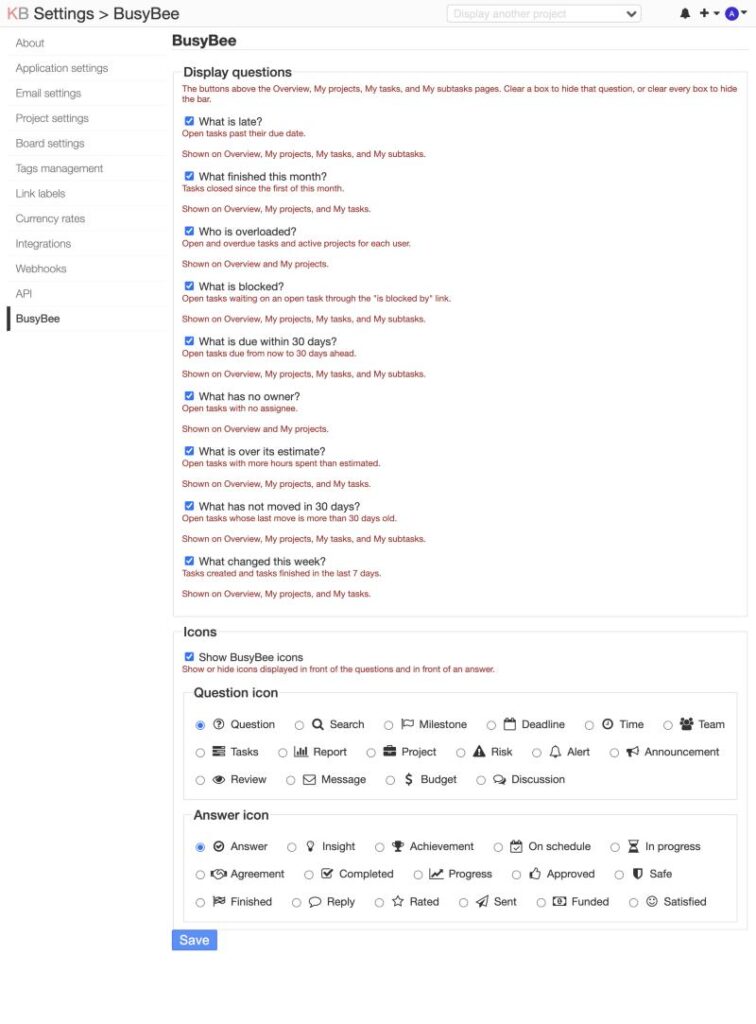
Settings -> BusyBee turns questions on and off and picks the icons shown next to questions and answers.
The questions
| Page | Questions | Tasks counted |
|---|---|---|
| Overview | All | Every task in your active projects |
| My projects | All | Every task in your active projects |
| My tasks | Late, Finished this month, Blocked, Due within 30 days, Over its estimate, Not moved in 30 days, Changed this week, and Being worked on | Tasks you own or that you have a subtask on |
| My subtasks | Late, Blocked, Due within 30 days, Not moved in 30 days, and Being worked on | Tasks with an open subtask assigned to you |
| My folders (SortaFolders-only) | All | Every task in the projects the page lists. One folder narrows it to the projects in that folder and its subfolders |
My tasks leaves out “Who is overloaded?” and “What has no owner?” since My tasks only lists that user’s tasks. My subtasks keeps only the questions that read the parent task’s dates and links.